
The first session, official steps only
Netflix search, install or update, then Load Game or a new career.
You already have the phone in your hand. The first session is not a week plan. Nobody official published one. The published string is short. Search inside Netflix. Get the game or install it. Open it. If a Football Manager 24 Mobile save or a Football Manager 26 Mobile save is there, press Load Game. If it is not, start a career. At the start of a new career, the tactics menu is the reference they named. That is the whole chain. The rest of this note walks those steps in the order SEGA and Sports Interactive wrote them, and it stops where they stop. A Netflix membership is required. Kyle Brown's Out Now post puts that in capital letters. SEGA's getting-started page repeats it under the requirements table. Netflix's own listing says games are included in all plans. Those three sentences are the money story. There is no second price written on the pages this site used. You do not hunt a separate shop listing and pay it. You open Netflix, you are logged in, and the store button the Netflix app opens is the install.
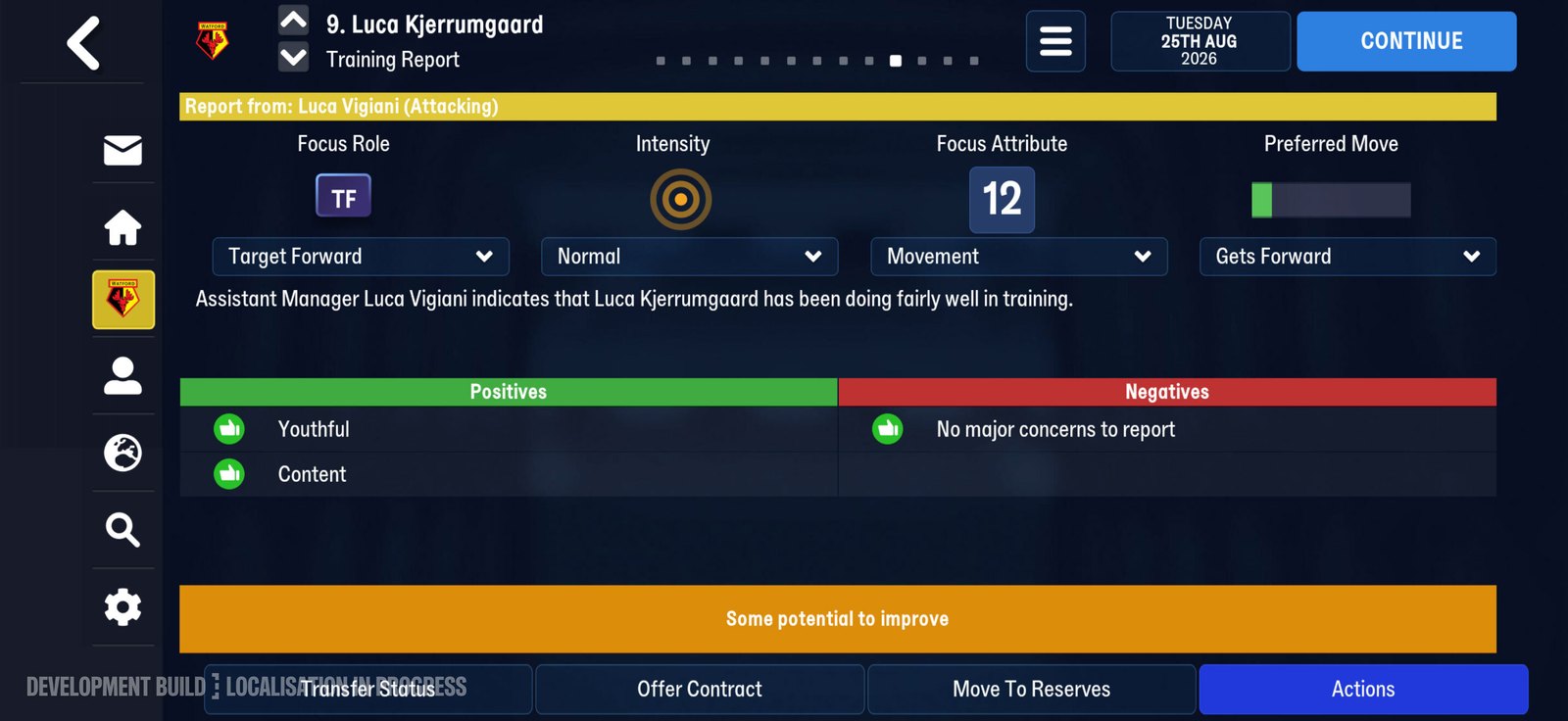
A Training Report from the first week. Official screenshot, SEGA feature blog.
Netflix search comes first
Download the Netflix app if it is not already on the phone. Log in. Use search. Type Football Manager 27 Mobile. Press the icon. SEGA says that icon loads the Football Manager page inside Netflix. Do not skip the search and type a shorter name you hope the store will forgive. The string they published is the full name.
iOS, button by button
SEGA's iOS tab, read on 11 November 2026, is a list. After the Netflix search and the icon, press Get game. A popup sends you to the App Store. Press Get. You may have to confirm with your Apple ID. When the download finishes, press Open. After that, launch from the Football Manager 27 Mobile icon on the home screen. That icon is the launch path they named. The Netflix app is how you got it.
Check the floor before you blame the button
SEGA's requirements table is small. Apple needs iOS 17 or newer. Android needs Android 10 or newer. Both columns say 2GB of storage. The Netflix membership sits on top of that table, in a note under it. The Netflix listing this site read does not match the operating-system line. That listing says iOS 15.0 or later and Android OS 8 or later. Two official pages, two floors. Print both. Do not invent a story about which page was edited last.
Load Game if a 24 or 26 save exists
Once the update is on the phone, press Load Game. The tech FAQ says you should see your Football Manager 24 Mobile saves and your Football Manager 26 Mobile saves. The feature blog says you can continue from a save in either of those two, or start again from the beginning. Those are the only two mobile editions named for that list. The Out Now post says saves carry from earlier editions of the mobile game, which is wider wording.
Starting a career instead
If Load Game has nothing you want, start a career. The blog's picture is that simple. Continue, or start again. Starting again is not a failure state they wrote down. It is the other official branch. The feature blog has one sentence for people picking up the mobile game for the first time. Additional guidance is available from the Tactics menu at the start of your career.
After the icon is open
You are in. The first session does not continue into a scout plan, a training week, or a transfer target. Those were not published as steps. Match day, the dressing room, physio reports, supporter notes, and trait training are real additions. They have their own pages. They are not buttons in the install list. If you want the match picture, read match engine after you have a career loaded, not before the icon exists. Expected Goals is the match number they named. It shows in the match, in league tables, and in post-match reports. The FAQ also puts it in other game areas and in media items. You will not see it until a match exists. Do not treat a missing column on a brand-new career screen as a broken install. The surfaces they named are match, table, and report. Colombia is playable and unlicensed. That is a league fact, not a first-session button. If you want that nation, the page is Colombia. The posts do not give a club list, so this session does not either.
| Order | Official step | Where it stops |
|---|---|---|
| 1 | Netflix app, log in, search the full name, press the icon | Getting-started tabs |
| 2 | Get game then Get, or Install then Install | Store popup, maybe Apple ID or Play Store login |
| 3 | Open or Play, then the home-screen icon | Launch path they named |
| 4 | Load Game if a 24 or 26 mobile save is there | Tech FAQ and feature blog |
| 5 | Or start a career | Feature blog, continue or start again |
| 6 | Tactics menu at the start, as a role reference | Feature blog and the FAQ on that page |
If a step in that table fails, use the branch they wrote, not a new one. Under the SEGA floor, and you played 24 Mobile: Owned Apps. On a beta: roll back, then a ticket. iOS download stuck: latest iOS, Apple ID sign-out and sign-in, then SEGA. Android download stuck: latest Android, Google ID sign-out and sign-in, then SEGA. Old app wanted back on a phone that already updated: the tech FAQ says that app is no longer reachable. The career is the thing that stays. Read no rollback before you uninstall in the hope the old icon returns. Official steps: SEGA getting started. Load Game and the floor: tech FAQ. Career start and the tactics reference: feature blog. Membership line: Out Now.