
News items that open a menu
A news item can include a button into the menu the story is about.
The notes grew buttons. That is the change. Football Manager 27 Mobile's FAQ says many news items have been redesigned, away from the matches, with useful buttons that take you to menus where the relevant action can be taken. The feature blog says relevant messages guide you towards specific areas of the game when you need them. The example they give is form. Struggling for form, you might be pointed back towards the tactics board. Might. Pointed. The tactics board. That is the example. It is not a promise that every bad week produces that button. It is the one destination they actually wrote down.
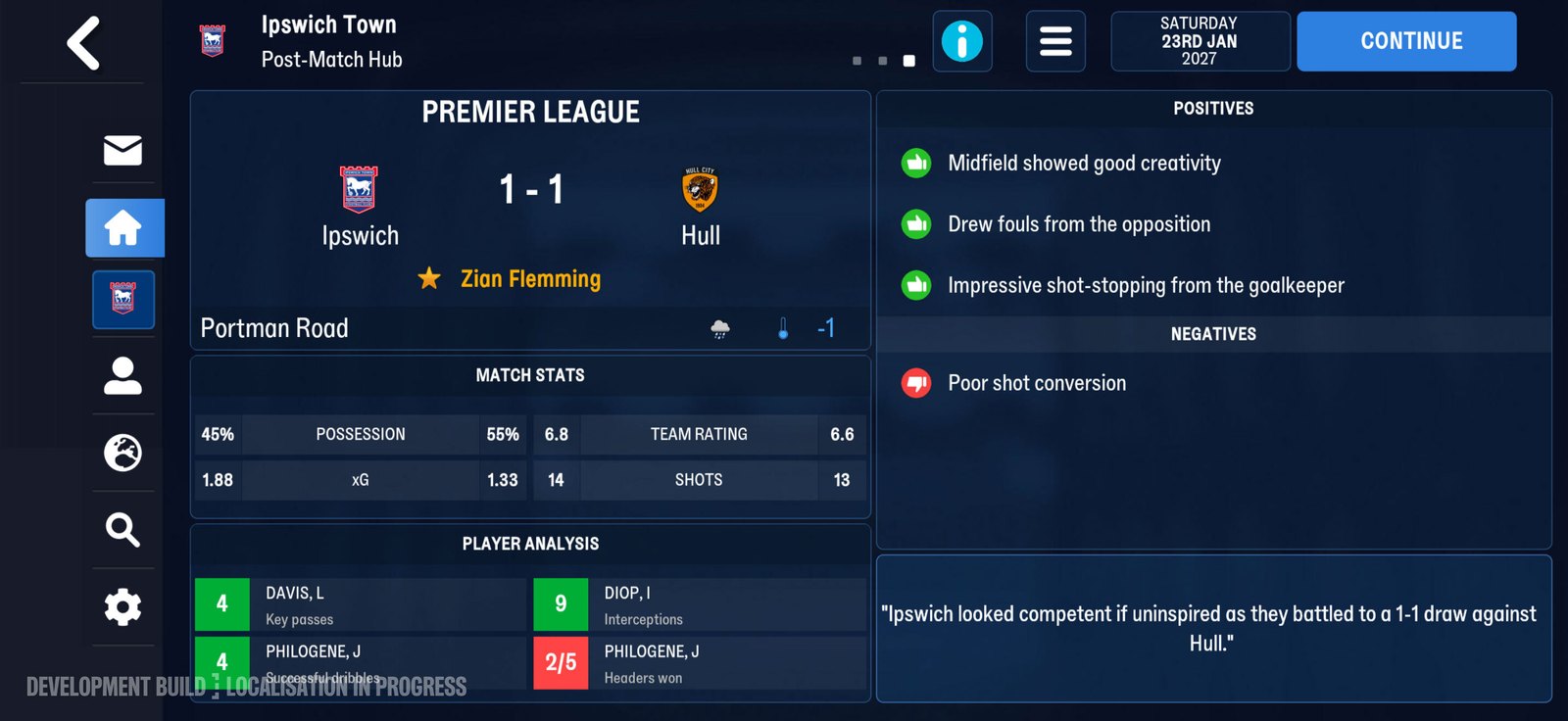
The post-match hub, where news items and their buttons collect. Official screenshot, SEGA feature blog.
Buttons, not a longer paragraph
The FAQ's point is the control. A news item can carry a button. The button goes to a menu. The menu is where you do the thing the note is about. You do not have to remember the path from a paragraph. The redesign is the shortcut. "Many" is the FAQ's count. Not all. Not one. Many items were redesigned this way. If a note on your phone has no button, that can still match the posts. They did not say every inbox line became a button. They said many news items did. "Away from the games" is the other half of that FAQ sentence. The first half is haptics, during matches. The button half is the rest of the week. So a news button is not a match control. You are not meant to tap it between highlights. You tap it when you are in the news, off the pitch. The match still has its own read: the 2D engine, graphs between highlights, Expected Goals in the match, in tables, and in post-match reports. A form note might send you to tactics.
The form example
The blog's question is struggling for form. "You might find yourself being pointed" is the strength of it. Might, not must. Pointed, not teleported into a new shape. The board is the destination in the example. What you do on the board is still your call. The tactics menu has other jobs in the posts. At the start of a first career it can highlight the best players in the world for each role, as a reference, not as a squad to copy. After you know who is fit, the FAQ says the menu offers guidance on the best fit for each position, and on roles and formations that suit your team. A form note pointing at the board is a third use: the news thinks the shape is worth another look. It does not mean the world reference has changed. It does not mean your best-fit player changed because the note arrived. Open the board. Look. Decide. New tactical roles are a separate job. The tech FAQ says tactics and training setups carry, and that new roles have to be set up after updating if you want them.
Other notes that are news, and may not be this button
The supporters posts also added inbox items. The blog says new inbox items bring the highs and lows of supporter sentiment. The FAQ says additional news items outline how the fans perceive your decisions and performances, considering more than results. Those are news items about the fans. The button redesign is a general claim about many news items. The posts do not say the supporter note has a button, and they do not say it does not. They said many items have buttons to relevant menus. A fan note's relevant menu, if a button is there, would be whatever menu the button opens. Open the button you were given. Read the supporters screen when the question is the fans. Do not invent the destination. Physio news is the same caution. The report has four sections: condition, assessment, advice, recommendations. Factors include injury history, fitness, fatigue, and match load. Recommendations cover selection and training intensity. The posts do not say an injury note has a button to the physio report. They also do not forbid it. "Menus where relevant actions can be taken" is the FAQ's rule for the buttons that exist.
What you do when the note arrives
Read the note. If it has a button, read the label if there is one, then press it. You should land in a menu where the action can be taken. That is the FAQ's promise for those buttons. It is not a promise about which menu, except in the blog's form example, where the area is the tactics board. If the button lands you on the tactics board during a form struggle, look at the shape. Look at who is fit. Use the fit guidance if it is there. Do not copy a world reference into the eleven because a note told you to open the board. The note said the board. It did not say the reference list. If the note has no button, it can still be one of the items they did not include in "many." Deal with it by the path that note's topic already has. A conflict still goes to Dynamics and the profile. A supporter line still goes to the supporters screen inside Board Confidence. A fitness question still goes to the physio report. The absence of a button is not the absence of the screen.
Dates, and which post said it
The button lines are in the 5 November texts. The blog and the FAQ on that SEGA page, and the community FAQ, all carry the redesign. Out Now on 10 November does not, in the lines this site is using, repeat the button claim. Out Now does mention improvements to the back button, which is a different control. Do not merge "news buttons" and "back button" into one fix. The back button improvement has no further detail in Out Now. The news buttons have a destination rule, and one example. The launch lines stay split, and they are not about the buttons. Blog FAQ: from 11 November, Netflix only. Community FAQ: from 10 November. Out Now: titled Out Now on 10 November, membership required. The notes are in the game you updated into. They do not have a separate release day.
What the redesign will not do
It will not pick the tactic. It will not clear a dressing-room split. It will not move the supporters rating. It will not set a new role. It will not tell you a recovery date. A button is a path to a menu. The action in that menu is still yours. The blog's support tools, as a group, are described that way. More context. The decision stays with you. It will not vibrate. Haptics are the match. The FAQ split the sentence on purpose. Buzz on the pitch. Buttons off it. It will not replace the inbox items that have their own reading path. Droughts and conflicts are still read in Dynamics and Player Profiles. Fan sentiment is still read on the supporters screen, with the rating and the breakdowns. The button is an extra way into a menu, on many items. It is not a new kind of event.
| Note | Button in the posts? | Where they told you to go |
|---|---|---|
| Form struggle | The example. Might point you at the tactics board | Tactics board |
| Many other news items | Redesigned with buttons to relevant menus | The menu the button opens |
| Drought or conflict | Not described as this button | Dynamics, Player Profiles |
| Supporter sentiment | News items exist; a button is not named for them | Supporters screen, Board Confidence |
| Back button | A different improvement, in Out Now only | Not described |
Tonight, when a note arrives with a button, press the button before you start hunting the menu from memory. If the note is about form, expect the tactics board, and allow that it might not be that note. If the note is about a person in the squad, do not wait for a button. Open the profile. The screens behind it were already named. Sources: Feature blog, 5 November 2026. Community FAQ. Out Now, 10 November 2026.