
Tactics carry, new roles do not
Old tactics carry. New roles still have to be set up by you.
You updated the phone. The tactic you left should still be there. SEGA's tech FAQ says so in one answer. The question is whether tactics and training setups carry into Football Manager 27 Mobile. The answer is yes. Then the same answer adds the limit. If you want the new tactical roles, you set those up after updating. They do not set themselves up. That is the whole published rule. Yes to what you already built. A job left for you if you want what is new. No list of the new role names. No picture of the tactic screen. It will tell you the split, and what to do with a save you just carried in.
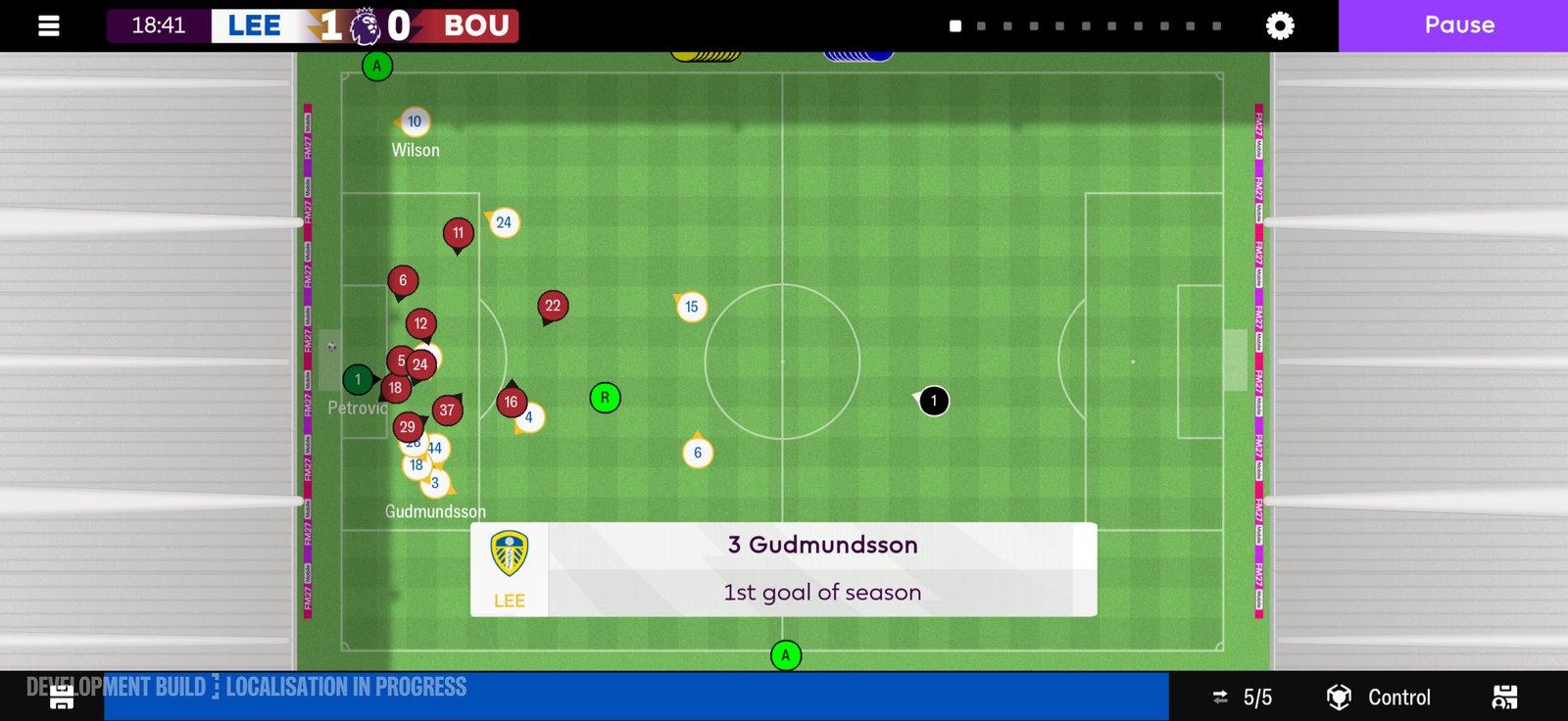
The 2D match view a carried tactic runs in. Official screenshot, SEGA feature blog.
The yes
The tech FAQ was updated 10 November 2026. The carry line is in that article, next to the Load Game line. Once you have updated, you should see your Football Manager 24 Mobile saves and your Football Manager 26 Mobile saves when you press Load Game. The tactics answer is the next question in that FAQ. Setups you made in the career you are loading are part of what carries, for tactics and for training. The feature blog says you can continue from a save in either of those two mobile games, or start again. Continuing is the path where "carry" means something. A brand new career has no old tactic to carry. You build the first one there. The yes in the tech FAQ is for the career you updated into, not for a save you have not started. Out Now, the same day as the tech FAQ's update stamp, says saves carry from earlier editions of the mobile game. That sentence is wider than the two names. The tech FAQ and the feature blog then name Football Manager 24 Mobile and Football Manager 26 Mobile.
What "setups" covers
Tactics setups. Training setups. Those are the two nouns in the yes. A tactic you had selected, the shape you had saved, the training plan you had left in place. The posts do not itemise every slider. They say the setups carry. If a control you used last season is on the tactic after the update, that matches the yes. If a control is missing, the published exception is the new roles, not a promise that every old slider was renamed in a list you can read here. Training setups are not the same object as a trait you have not trained yet. The new control is that you can train a preferred move or a trait, or remove one. That action is something you take after the update, on the players you choose. A training setup that carried is the plan you already had. It does not, by itself, prove you have already used the new trait button. Open training. See what came across. Then decide whether you are adding or removing a trait. That page is train a trait.
The part that does not carry itself
New tactical roles must be set up after updating. The tech FAQ's words are "if you want to take advantage of" them. Want is in the sentence. You are allowed to leave the new roles unset. The carried tactic still works as the tactic that carried. The new roles are an advantage you opt into, not a patch that rewrites your shape overnight. The posts do not name the new roles. Do not take a role name from a PC article, a console article, or a development screenshot and paste it onto this phone answer. The tech FAQ says new tactical roles, plural, and that you set them up. It does not say how many. It does not say they replace the roles you already had. Set up the ones you want. Leave the carried tactic alone until you mean to change it. Where you set them up is the tactics side of the game, after the update. The feature blog also talks about a Tactics menu at the start of a first career, highlighting the best players in the world for each role as a reference.
After you press update
Get the update from Netflix if the icon has not moved yet. The install path is the Netflix app, not a second store listing you buy. Membership is required. That path is on install on Netflix. The date lines do not collapse. Out Now is 10 November 2026. The tech FAQ says the previous mobile app leaves the Netflix store from 10 November 2026. The blog FAQ says the phone game launches from 11 November. You are reading a carry rule from the tech FAQ. You are not reading a single launch morning. Once the updated app is open, press Load Game. Open the career. Open the tactic before you open the first match. Check that the shape you remember is the shape on screen. That is the yes, confirmed by looking, not by a forum post. Then decide on the new roles. If you want them, set them up before you treat the tactic as finished. If you do not want them yet, play the carried shape. The tech FAQ does not say the new roles are mandatory for the save to load.
What people add that the FAQ did not
A carried tactic is not a promise about the match engine. The 2D picture is the phone picture. The engine is described as the most advanced in the mobile series, with the latest match logic brought across and the 2D picture kept. Extra stats and graphs sit between highlights. Expected Goals shows in the match, in tables, and in post-match reports. None of that is a tactic slider that carries. Your shape can carry into a match that reads differently. If the game looks new and the tactic looks old, that can both be true. The match page is the match engine. A carried tactic is not a supporters rating. The fans have their own breakdowns inside Board Confidence. Winning is not always enough for them. Your old shape does not tell you how the fans feel this week. A carried tactic is not a physio report. Condition, assessment, advice, and recommendations are a new report. Fitness for the next match is not stored as a tactic setup. Check the players before you assume the carried eleven are all selectable.
If the tactic looks wrong
Look first. The official yes is that setups carry. If the career loaded and the tactic is empty, the posts do not describe a second repair button. They do not say to reinstall to force the tactic back. The staff line on carry-over is that saves were tested. A missing career is a Load Game problem. A loaded career with a tactic you do not recognise is something you can see. Set the new roles only if you want them. Rebuild a shape you actually remember if the screen is blank. Do not invent a cloud copy. Cloud saves are not described in the tech FAQ answer this page is using. The same FAQ says you cannot go back to the previous mobile app on a phone that can run this one, because the update replaces that app. Your Football Manager 26 Mobile saves are usable in this one. The way back is not a second install of the old app on a compatible phone. So the tactic you check is the tactic in this update.
A short order for tonight
Update. Load Game. Open tactics. Confirm the carried setup. Confirm that setup. Then pick the side, with the physio report in mind, and play. The yes is real. The exception is real. Neither one is a role list.
| Question the tech FAQ is answering | What it says |
|---|---|
| Do tactics setups carry? | Yes |
| Do training setups carry? | Yes |
| Do new tactical roles turn themselves on? | No. Set them up after updating if you want them |
| Which saves should Load Game show? | Football Manager 24 Mobile and Football Manager 26 Mobile |
| Can you stay on the previous app after a compatible update? | No |
Sources: Tech FAQ, updated 10 November 2026. Feature blog, 5 November 2026. Out Now, 10 November 2026.